Let’s be honest. Selling a complex B2B solution—think enterprise software, intricate SaaS platforms, or custom tech stacks—is a bit like trying to describe a symphony to someone who’s only ever heard a single note. You can talk about the crescendos, the harmonies, the sections of the orchestra… but until they feel it, it’s just noise. Static PDFs, feature-dense slide decks, and even traditional screen shares? They’re the single note.
That’s where the game changes. The most effective sales teams today are moving beyond the monologue. They’re adopting a two-part strategy: interactive product demos and digital sales rooms. It’s not just a tech upgrade; it’s a fundamental shift from telling to showing, and from broadcasting to collaborating.
The Frustration of the “Black Box” Sale
You know the pain. You spend 45 minutes on a Zoom call, clicking through a pre-built demo path. The prospect’s cameras are off (a bad sign, usually). You get a polite “Thanks, we’ll discuss internally.” And then… silence. The solution became a “black box”—something mysterious the buyer has to take on faith. They couldn’t see how it would actually work for their specific, messy business problems.
Interactive demos smash that box open. Instead of a linear presentation, you give the buyer a sandbox. It’s a guided, hands-on experience where they can click, configure, and explore the parts of your solution that matter to them. Think of it as a test drive versus a brochure. The buyer gains agency, and you gain invaluable insight into their priorities.
What Makes a Demo Truly Interactive?
It’s more than just a fancy screen share. A real interactive product demo is built for exploration. Here’s what sets it apart:
- Personalized, Not Generic: It uses the prospect’s company name, data, or logo. It mirrors their workflow, not a hypothetical one.
- Choose-Your-Own-Adventure: You might start with a core flow, but you can branch out. “You mentioned reporting is key—want to see how we build a custom dashboard live?”
- Hands-On for the Buyer: You can pass control. “Why don’t you try uploading that sample file yourself?” This builds confidence and ownership.
- Focused on Outcomes, Not Features: You’re not showing a “button.” You’re demonstrating how to “cut monthly reporting time from 3 days to 3 hours.” Big difference.
The Digital Sales Room: Your 24/7 Collaboration Hub
Okay, so the demo call was a hit. But then what? The buyer goes back to their team, and the momentum dissipates in a chaotic email chain with 12 people, each asking for the deck, the pricing, the use case you mentioned, and that one blog post. Chaos reigns.
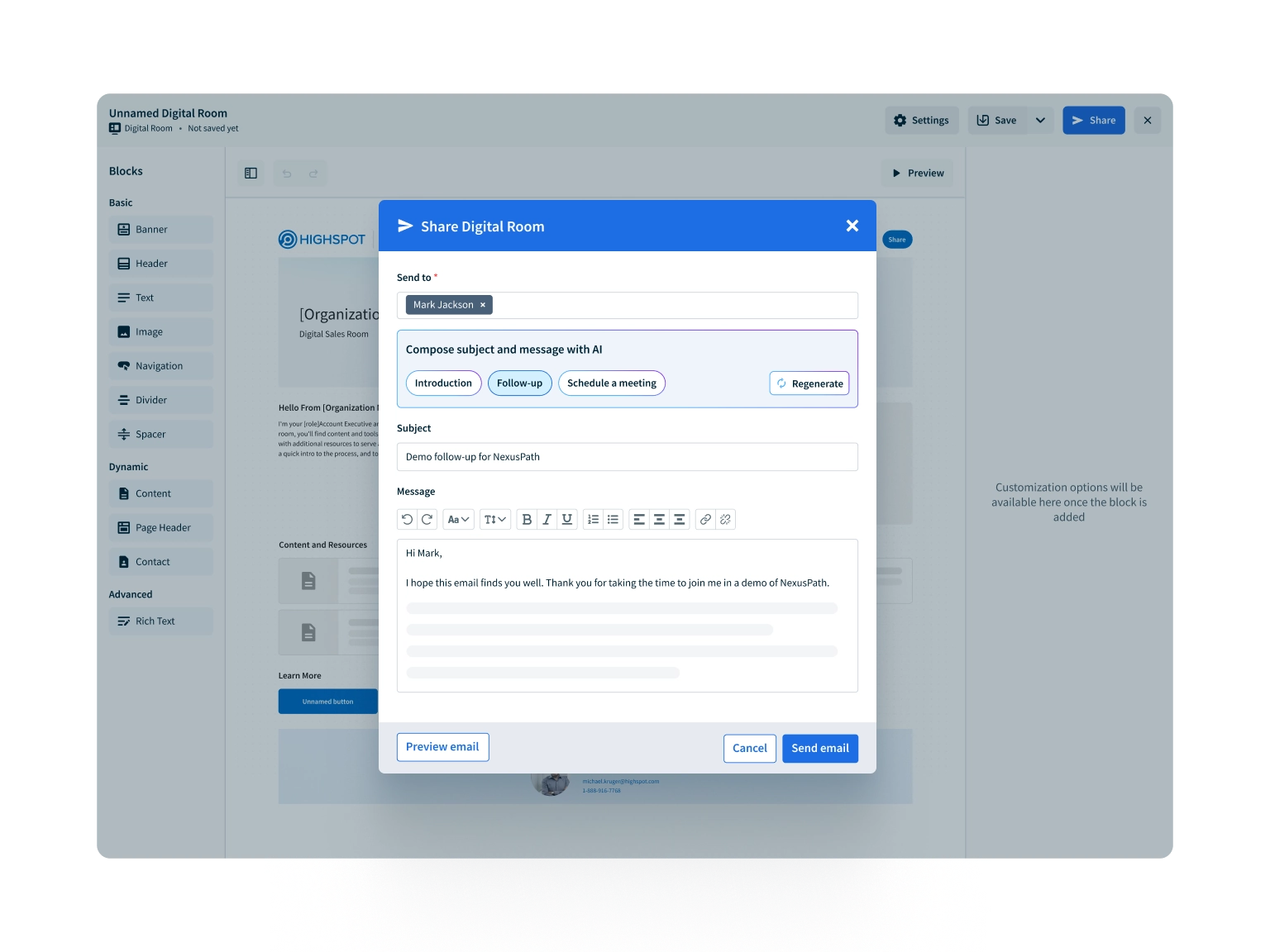
Enter the digital sales room (DSR). Think of it as a personalized, branded microsite for your deal. It’s a single, secure space where everything lives: the recorded interactive demo, the proposal, case studies, technical specs, mutual action plans, and even a chat thread. It’s persistent, meaning it’s always there, updated, and accessible to every stakeholder on the buyer’s side.
It kills the clutter and, frankly, the excuse-making. No more “We couldn’t find the document.” It’s all right there.
Why This Combination is Unbeatable for Complex Sales
Used together, interactive demos and digital sales rooms create a seamless, buyer-centric journey. Here’s the deal:
| Pain Point | Old Way | New Way (Interactive + DSR) |
| Stakeholder Alignment | Forwarding endless emails; key decision-makers miss context. | All stakeholders access the same Digital Sales Room. They can watch the demo recording on their own time. |
| Managing Objections | Repeating answers in separate calls. | Answering complex questions in the DSR chat, where everyone sees the response. You can even add a new demo clip to address it. |
| Long Sales Cycles | Weeks of radio silence between meetings. | You see who’s engaging with the room. If the CFO revisits the pricing page, you get an alert. It’s a signal to follow up. |
| Demonstrating Value | Abstract claims on a slide. | The buyer experiences the value in the interactive demo. The ROI calculator sits right next to the proposal in the DSR. |
Getting Started Without Overwhelming Your Team
This might sound like a big lift, but you can start small. Honestly, you don’t need to rebuild your entire process tomorrow.
- Pick Your Pilot: Choose one of your most common, yet complex, sales scenarios. Maybe it’s your core platform integration demo.
- Build a Single Interactive Demo Path: Use a dedicated tool or even just a highly adaptable live environment. Focus on making it flexible for the top 3 questions you always get.
- Create a Simple Digital Sales Room Template: Just a clean, branded space with the demo recording, a key case study, and your contact info. That’s it for version one.
- Train Your Team on the “Why”: This isn’t about new software; it’s about changing the conversation from vendor to guide.
- Measure What Matters: Track engagement in the DSR, not just opens. Did they revisit the proposal? How long did they watch the demo? This is gold.
The Human Element in a Digital Process
Here’s a crucial point—this isn’t about replacing salespeople with bots or self-serve portals. In fact, it’s the opposite. By automating the information delivery and the basic “how does it work” questions, you free up your sales team to do what only humans can: build deep rapport, navigate complex political landscapes, and craft strategic vision. The tech handles the “what,” while your team masters the “why” and the “how for you.”
The tools become an extension of your consultative approach, not a replacement for it. You become the conductor, helping the buyer hear their own symphony in the notes of your solution.
Ultimately, selling complex solutions is an act of trust-building. It’s about reducing the perceived risk of a massive, complicated purchase. An interactive demo makes the abstract tangible. A digital sales room makes the process transparent. Together, they don’t just close deals faster—they build the foundation for a better, more collaborative customer relationship from the very first click. And that, you know, is a note worth ending on.